
Desktop Koala Pet
A downloadable game
A little koala has moved onto your desktop.
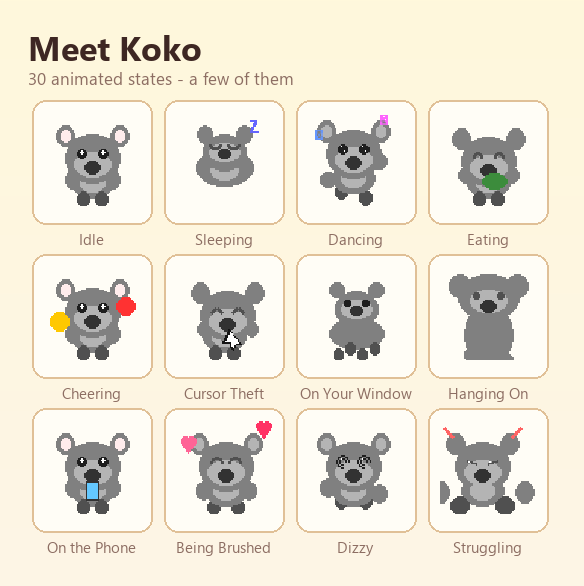
Koko wanders across your screen, climbs on top of your windows, naps on the taskbar, and occasionally runs off with your cursor. When it rains, Koko goes looking for an umbrella.
You don't have to do anything. Koko just lives there.
Three things Koko does that most desktop pets don't
Koko collects things.
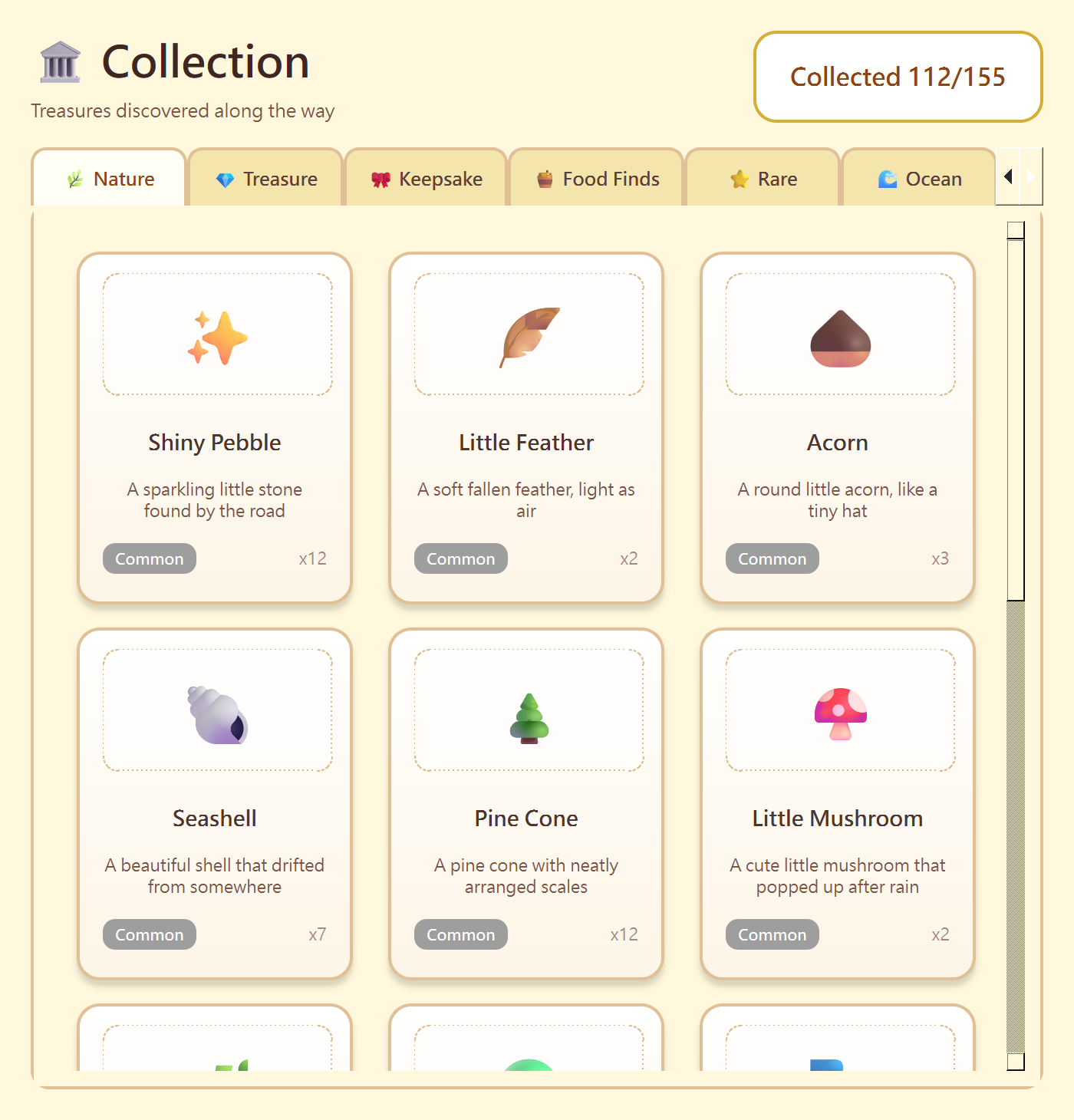
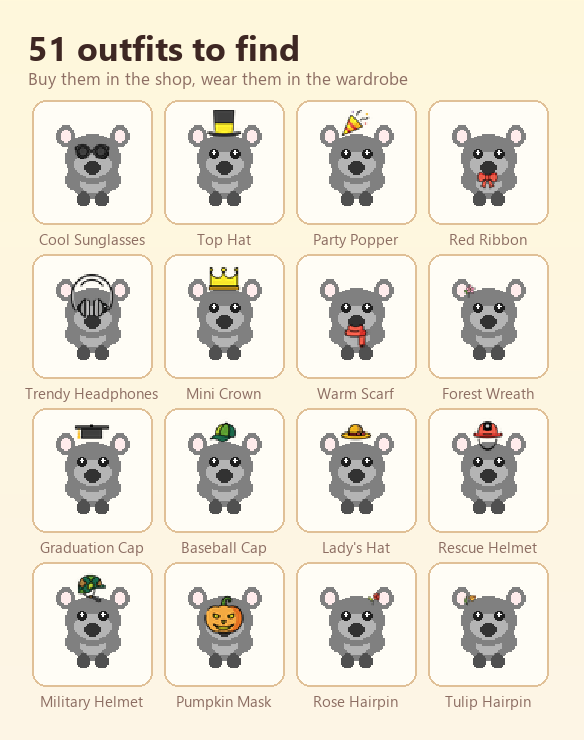
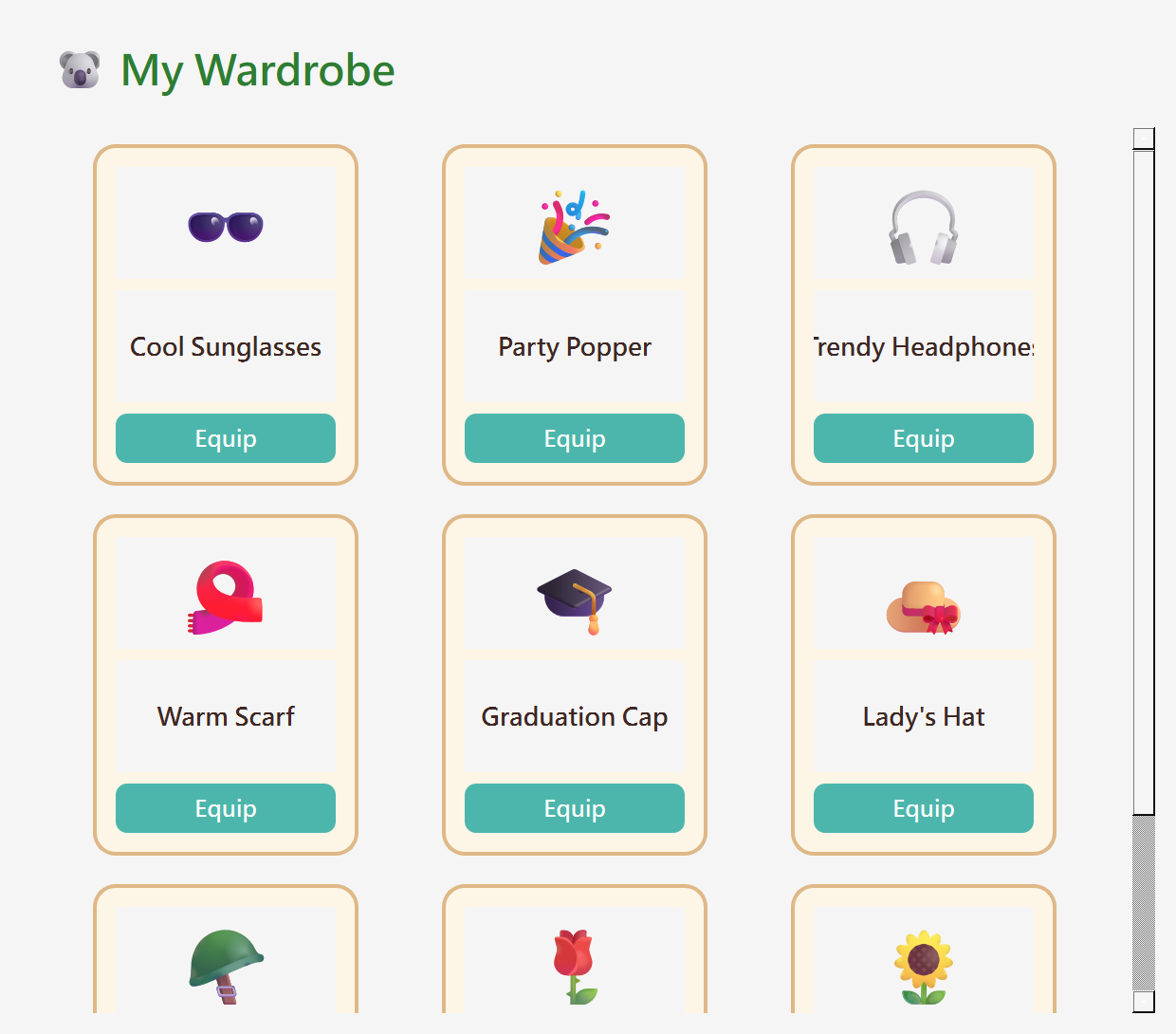
155 collectibles across 11 categories, and 51 outfits to dress Koko up in. Things turn up while Koko wanders — you fill out the book over weeks, not an afternoon.
Koko works with you.
A built-in Pomodoro timer. Focus for 25 minutes and Koko cheers you on from the corner of the screen, then hands you coins when the session ends.
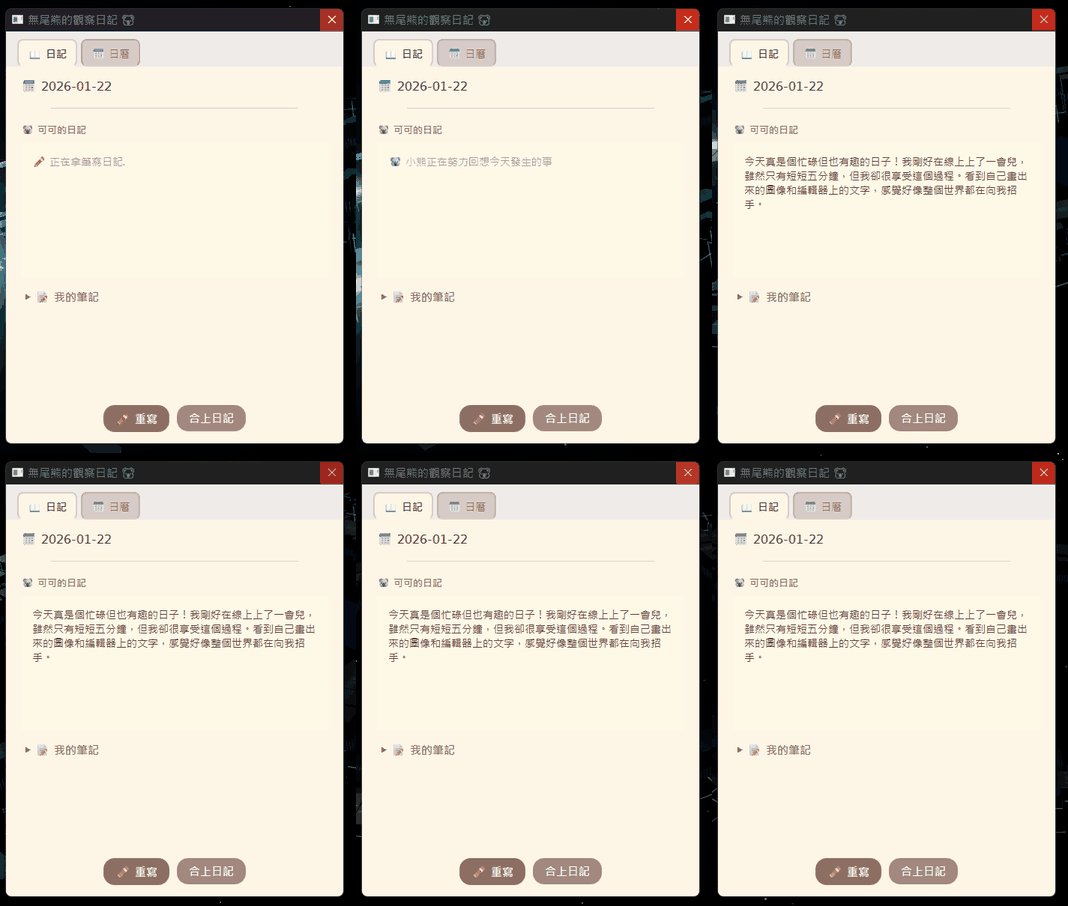
Koko keeps a diary.
Written every day from what actually happened: how many pomodoros you finished, how many times you fed Koko, how long you stayed at your desk. Not generic filler — your day, in Koko's words.
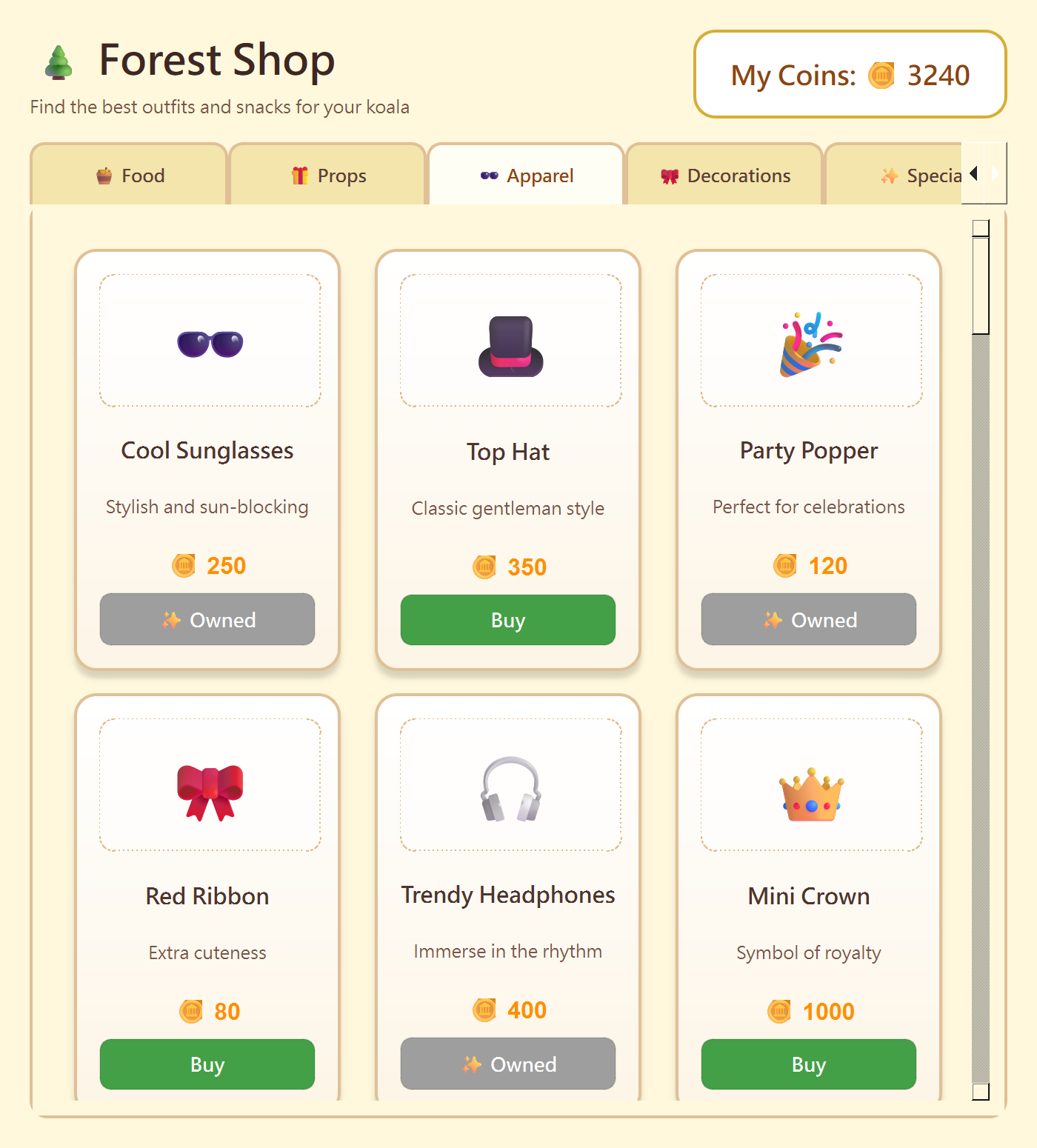
Also: 30 animated states, a shop to spend your coins in, a crystal ball for a daily fortune, and Koko notices whether you're watching video, listening to music, or actually working — and reacts accordingly. Available in English and 繁體中文.
Getting it running
Download, unzip, and run KoalaPet.exe. No installer, nothing written to the registry — delete the folder and it's completely gone.
The first time you run it, Windows may show a blue "Windows protected your PC" screen.
That's SmartScreen reacting to an app it hasn't seen before. Click More info, then Run anyway.
To close Koko: right-click the tray icon in the bottom-right corner and choose Exit.
Windows 10 / 11 · about 180 MB on disk · no internet required
Optional: bring your own AI
The diary is written locally by default — no account, no setup, no internet. If you'd rather have it written by an AI, you can add your own Claude, ChatGPT, or Gemini API key in the settings. Your key never leaves your machine, and if a call fails it quietly falls back to the built-in text.
About AI use in this project
This project carries a generative AI disclosure tag, so here is exactly what that covers:
- Code — written with AI assistance, then reviewed, tested and debugged by hand.
- Text — some of Koko's dialogue lines and the diary templates were drafted with AI help and edited by hand.
- Graphics — not generative AI. The koala is drawn procedurally in code, and the outfits are composited from OpenMoji (CC BY-SA 4.0). No image model was used at any point.
- Audio — none in this build.
一隻無尾熊住進了你的桌面。
可可會自己在螢幕上散步、爬到你的視窗上面、在工作列上睡午覺,偶爾把你的滑鼠搶走。下雨的時候,牠會跑去找雨傘。
你什麼都不用做,牠就住在那裡。
三件牠會做、但別的桌寵不會的事
牠會收集東西。
11 個分類、155 種收藏品,還有 51 件服飾可以幫牠打扮。東西是牠散步時撿回來的 —— 圖鑑要花幾個禮拜慢慢填滿,不是一個下午。
牠會陪你工作。
內建番茄鐘。專注 25 分鐘,牠會在螢幕角落幫你加油,結束後給你金幣。
牠每天寫日記。
依你當天的實際紀錄寫成:完成幾個番茄鐘、餵了牠幾次、在座位上待了多久。不是罐頭文案 —— 是你的一天,用牠的語氣寫出來。
另外還有:30 種動作狀態、可以花金幣的商店、預言水晶球,而且牠看得出你在看影片、聽音樂、還是真的在工作,會說對應的台詞。支援繁體中文與 English。
怎麼開始
下載、解壓縮、執行 KoalaPet.exe。免安裝,不寫入登錄檔 —— 刪掉整個資料夾就完全移除。
第一次執行時,Windows 可能會跳出藍色的「Windows 已保護您的電腦」畫面。
這是 SmartScreen 對未簽章程式的正常反應。點「更多資訊」,再點「仍要執行」就可以了。
要關掉可可:對右下角系統匣的圖示按右鍵,選「結束寵物」。
Windows 10 / 11 · 解壓後約 180 MB · 不需要網路
選配:接上你自己的 AI
日記與運勢預設是在本機產生的 — 不用帳號、不用設定、不用連網。如果你想要文字更自然多變,可以在設定裡填入自己的 Claude、ChatGPT 或 Gemini API Key。Key 只會留在你的電腦上,而且連線失敗時會自動改用內建文案,功能不會中斷。
關於本專案的 AI 使用
這個專案有標記生成式 AI 揭露標籤,實際範圍是這樣:
- 程式碼 — 由 AI 輔助撰寫,再經人工檢視、測試與除錯。
- 文字 — 部分台詞與日記模板由 AI 協助草擬,再人工修改。
- 圖像 — 不是生成式 AI。無尾熊是用程式繪製的,服飾則由 OpenMoji(CC BY-SA 4.0)合成。全程沒有使用任何圖像生成模型。
- 音效 — 這個版本沒有音效。
Download
Click download now to get access to the following files:
Leave a comment
Log in with itch.io to leave a comment.